Lay-flat album design software that respects the gutter.
Design true edge-to-edge spreads with smart guides that snap to bleed, gutter and centre, then export a print-ready PDF you own.
3-day free trial · Cancel anytime before day 4

Print-ready PDF
300 DPI · 3 mm bleed · sRGB
Lay-flat album design software, done properly
Lay-flat albums are sold on the spread: an image running clean across two pages with no break and no gutter swallowing a face. That only works if the design tool truly understands the double-page spread and the bleed it needs, rather than treating an album like two single pages glued together.
Cuppafolio is lay-flat album design software built around the spread. You design edge to edge, guides snap to bleed, gutter and centre, and the export carries the bleed your lab needs so the printed result matches the file.
Spreads are where layout tools fall down
The album step should be the fun part. Too often the tooling gets in the way.
Images drifting across the gutter with no guide to stop them
Bleed guesswork that surprises you at the lab
Slow manual alignment on every double-page spread
A focused tool that does the album job brilliantly.
Everything you need for the album, nothing you don't, and the finished file is always yours.
Smart templates
Designer spreads, ready to fill.
Start from a layout you love and drop in your selects. Smart guides snap to bleed, gutter, centre and neighbours, so every page is balanced, every time.
Print-ready PDF
300 DPI. 3 mm bleed. Yours.
One click and a press-ready PDF lands in your downloads: 300 DPI, sRGB, embedded fonts, optional crop marks. No watermark, no expiry, no per-album unlock fee.
No installs
Open a tab. Start designing.
No 4 GB download, no licence dongle, no “it only works on the office Mac”. Cuppafolio runs in any modern browser, so your albums follow you between machines.
Flat pricing
One monthly price. No per-album fees.
From £19/month. Design as many albums as your plan allows for the same price every month, with no surprise charge when a busy season hits.
The gutter is a design constraint, so we treat it like one
A face landing in the gutter is the classic lay-flat mistake. Cuppafolio shows the centre and the safe area and snaps to them, so full-bleed images cross the spread cleanly and key content stays clear of the binding.
Bleed is handled the same way: a consistent 3 mm on every page, carried through to the export, so there is no guesswork between your screen and the lab's press.
How lay-flat spread design works in Cuppafolio
The flow is deliberately short. There is no setup project, no render queue and no export wizard to fight. Getting from your selects to a file your lab accepts is a handful of steps.
- Pick a spread template built for edge-to-edge imagery
- Place full-bleed images; guides snap to gutter and centre
- Keep key content inside the safe area shown on screen
- Export a print-ready PDF with bleed carried through
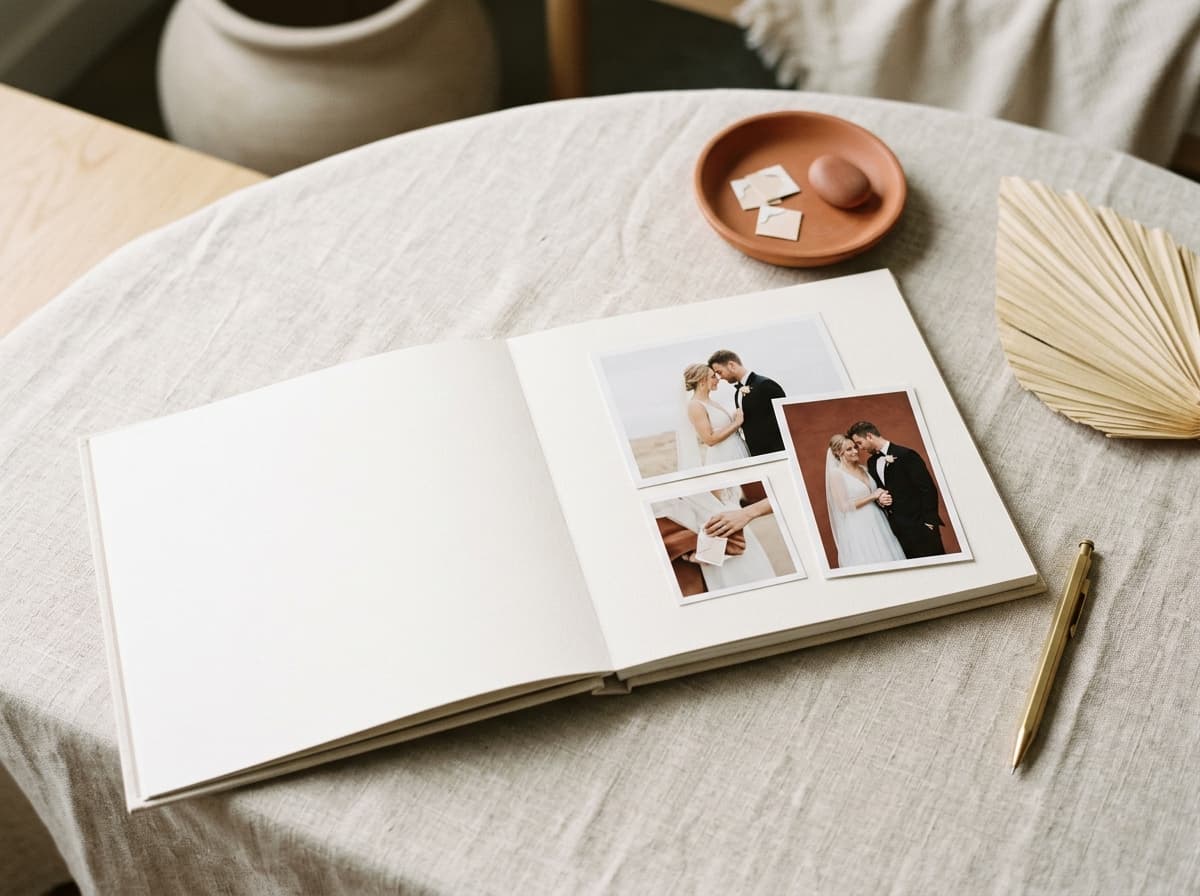
The difference is in what we deliberately leave out.
A narrow tool, an honest deal, and a file that is genuinely yours.
Smart guides do the fiddly part
Guides snap to bleed, gutter, centre and neighbouring photos, so spreads stay aligned and balanced without endless pixel-nudging.
You own the export
Every album leaves as a print-ready PDF with no watermark and no per-album unlock fee. It is a real deliverable you keep, not a file held hostage.
It runs in the browser
No installer, no licence keys, no per-machine setup. Open Cuppafolio in any modern browser and your work is exactly where you left it, on any computer.
Spread-first by design
- True double-page lay-flat spreads
- Smart snapping to bleed, gutter, centre and neighbours
- Designer templates built for edge-to-edge imagery
- Print-ready PDF you own at 300 DPI and 3 mm bleed
- Works in any browser, nothing to install
- Flat monthly pricing, free 3-day trial
“No more emailing files back and forth, no more 'which version is this'. Cuppafolio lives in the browser and the PDF is mine. That's it. That's what I needed.”
Good questions, straight answers.
How does Cuppafolio actually handle the gutter on a lay-flat spread?
Smart guides snap to bleed, gutter, centre and neighbouring photo edges, so a face never lands across the gutter by accident and a centred subject is genuinely centred. The lay-flat is a true double-page canvas in the editor, not two single pages stuck together.
Are the templates designed for full-bleed lay-flat work?
Yes. The template set includes edge-to-edge single-image spreads, lay-flat-friendly multi-image layouts and panorama-ready frames designed for the way premium lay-flat albums actually want to be laid out — image-led rather than text-led.
Will my lay-flat album lab accept the PDF?
Yes. Cuppafolio exports a standard 300 DPI sRGB PDF with 3 mm bleed and embedded fonts — the spec lay-flat album labs expect. The double-page spreads in the PDF reflect how the printed pages bind, with the gutter line as the page break.
Can I mix lay-flat spreads and standard pages in one album?
Lay-flat albums by definition use lay-flat spreads throughout (that is what the binding gives you). Within that, you can absolutely mix single-image full-bleed spreads, multi-image grids, and detail-pair pages in the same book.
Is per-album pricing going to bite on lay-flat work?
No, because there is no per-album pricing. Cuppafolio is flat monthly (Solo £19, Studio £39, Agency £79) with no per-album fees inside your plan's allowance. Premium lay-flat albums tend to carry premium margins; flat software pricing keeps that margin intact.
How does it stop faces landing in the gutter?
The editor shows the spread centre and a safe area, and snapping helps you keep key content clear of the binding while still letting images bleed fully across the spread.
Is bleed handled automatically?
Yes. A consistent 3 mm bleed is applied on every page and carried into the print-ready PDF, so what you design is what the lab prints.
More ways Cuppafolio fits your studio
Other album-design solutions photographers weigh up alongside this one.
Design a lay-flat album today
Free 3-day trial, cancel anytime before day 4. Build a real spread and export the PDF.
3-day free trial · Cancel anytime before day 4